
Download AI App Icon Generator – Free AI‑Powered Icon Design Tool
Overview
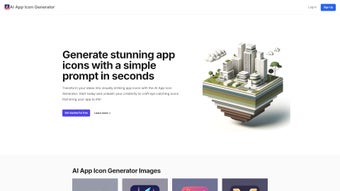
AI App Icon Generator is a web‑based, AI‑driven design platform that transforms simple text prompts into professional‑looking app icons in seconds. Built for developers, startups, and anyone who needs a striking visual identity, the tool removes the barrier of artistic skill and eliminates the steep learning curve of traditional graphic software. By simply entering a description of the desired look—such as “minimalist blue music app” or “retro gaming badge”—the underlying neural network creates multiple variations that can be instantly previewed, refined, or regenerated.
The platform also supports negative prompts, allowing users to explicitly exclude unwanted elements (e.g., “no gradients” or “avoid cartoon style”). A built‑in redesign feature lets you tweak the AI’s output by adjusting parameters like color palette, shape complexity, and number of variations, ensuring the final icon aligns perfectly with brand guidelines. Whether you’re launching a new iOS app, refreshing a Windows desktop shortcut, or crafting a marketing mock‑up for Android, AI App Icon Generator delivers a fast, secure, and cost‑effective solution.
The service operates entirely in the browser, meaning no software installation is required, and all data processing respects privacy standards. In short, it’s a one‑stop shop for quick, high‑quality icon creation without the need for Photoshop, Illustrator, or a hired designer.
The user interface is intentionally minimalist: a clean input field, a style selector, and a real‑time preview pane dominate the screen, keeping distractions to a minimum. Because the AI runs on cloud servers, even low‑end devices can generate complex icons without lag, and the results are stored temporarily only for the duration of the session. Security is a top priority; every request is encrypted via HTTPS, and the platform complies with GDPR by automatically deleting prompts after the user leaves the page. This combination of speed, simplicity, and privacy makes AI App Icon Generator an attractive choice for solo developers, small agencies, and larger teams that need to produce large batches of consistent icons without expanding their design budget.
Key Features & Capabilities
AI App Icon Generator packs a powerful suite of features that cater to both beginners and power users. The core of the tool is its prompt‑driven engine, which understands natural language and translates it into visual concepts. This capability is enhanced by a robust negative‑prompt system, allowing you to filter out unwanted colors, styles, or motifs.
The AI can generate anywhere from a single concept to ten distinct variations in a single request, giving you a breadth of options for brainstorming sessions. Once a concept catches your eye, the redesign loop lets you iterate endlessly—tweak the prompt, adjust a creativity slider, or modify the shape complexity, then regenerate until the icon feels just right. All icons are exported in high‑resolution PNG (up to 1024 × 1024 px) and scalable SVG formats, ensuring they look crisp on any device.
Batch purchase options make it economical to buy bundles of 5, 10, or 20 icons, each bundle unlocking the removal of watermarks and the ability to download vector files. The platform also includes an instant preview feature that places your generated icons onto mock devices, so you can see how they appear in real‑world contexts before downloading.
- Prompt‑Driven Design: Generate icons from natural‑language descriptions, with support for detailed specifications.
- Negative Prompt Capability: Exclude colors, styles, or elements you don’t want, giving you tighter control over the AI output.
- Multiple Variations: Choose how many icon concepts to generate per request (1‑10), enabling rapid brainstorming.
- Redesign Loop: Re‑run the AI with adjusted parameters or new prompts until the perfect icon emerges.
- Batch Purchase Options: Download single icons for free or buy packages of 5, 10, or 20 icons at discounted rates.
- High‑Resolution Export: Icons are delivered in PNG and SVG formats, optimized for iOS, Android, Windows, and macOS.
- Instant Preview: View generated icons on mock devices within the platform before committing to a download.
- Secure Cloud Processing: All data is encrypted during transmission, and no personal files are stored after the session ends.
- Cross‑Platform Compatibility: Works on any modern browser—Chrome, Edge, Safari, or Firefox—on Windows, macOS, Linux, Android, and iOS.
- Regular Updates: The AI model receives monthly improvements, ensuring the latest design trends are reflected in every output.
Beyond the core generation capabilities, the service offers a set of auxiliary tools such as a color‑palette picker, style‑guide exporter, and bulk‑download manager. These utilities help teams maintain visual consistency across multiple icons and streamline the hand‑off to developers. The platform also integrates with popular project management tools via webhook APIs, allowing you to automatically push newly generated assets into repositories like GitHub or design systems like Figma. All these features combine to make AI App Icon Generator not just a one‑off icon creator, but a comprehensive asset pipeline for modern app development.
Installation & Usage Instructions
Because AI App Icon Generator is a fully cloud‑based service, there is no traditional installation process—simply open a browser and start creating. The onboarding experience is designed to guide new users step‑by‑step, ensuring that even those with no design background can produce polished icons in under five minutes. Begin by navigating to the official website, where you’ll be greeted by a responsive landing page that automatically adjusts to desktop, tablet, or mobile viewports. While you can generate a single free icon without an account, registering a free account unlocks prompt history, bundle management, and premium features such as batch generation and higher‑resolution exports.
- Visit the Official Site: Open any modern browser and go to aiappicongenerator.example.com. The homepage presents a clean, distraction‑free interface with a prominent “Generate Icon” button.
- Create an Account (Optional): Click “Sign Up” to create a free profile using an email address or social login. Account creation syncs your prompts across devices and allows you to save favorite icons for later use.
- Enter Your Prompt: In the “Describe your icon” field, type a concise yet descriptive sentence. For example: “Flat style health‑tracking app icon with a green heart and white pulse line.” Use the “Negative Prompt” box to specify exclusions such as “no shadows” or “avoid neon colors.”
- Set Parameters: Choose the number of variations (1‑10) and select a base style from the dropdown (Minimalist, Gradient, Skeuomorphic, Material). Advanced users can move the “Creativity Slider” to influence how experimental the AI becomes, ranging from conservative to highly artistic.
- Generate & Review: Press “Generate.” Within seconds, a grid of thumbnails appears. Hover over each thumbnail for an enlarged view, and click to open a detailed preview where you can toggle between PNG and SVG formats.
- Redesign if Needed: If none of the concepts meet your expectations, click “Redesign” on the chosen thumbnail. You can edit the original prompt, adjust style settings, or increase the creativity level, then regenerate the icon.
- Download Your Icon: Once satisfied, select the desired format (PNG for quick use, SVG for scalable needs) and click “Download.” Free icons include a subtle watermark; purchasing a bundle removes the watermark and grants access to full‑resolution files.
- Integrate into Your Project: Replace placeholder icons in your app’s asset folder with the newly downloaded files. For iOS, add PNGs to the Asset Catalog; for Android, place them in the drawable folders; for Windows, update the .ico files accordingly.
- Leverage Advanced Features: Use the bulk‑download manager to retrieve multiple icons at once, or enable the webhook integration to push assets directly into your CI/CD pipeline.
Throughout the workflow, the interface provides contextual tooltips and inline documentation, reducing the learning curve further. The responsive design ensures that the entire process can be completed on a tablet or smartphone, making it possible to generate and download icons while traveling or during client meetings. Because all processing occurs in the cloud, your local hardware specifications have little impact on performance—only a stable internet connection is required.
Compatibility, Pros & Cons
AI App Icon Generator runs in any modern web browser, making it compatible with Windows 10/11, macOS Ventura and later, Linux distributions, as well as mobile operating systems like Android 9+ and iOS 13+. Since the service is cloud‑hosted, performance depends on internet speed rather than local hardware, allowing users on low‑spec machines to enjoy the same AI capabilities as those on high‑end workstations. The platform supports Chrome, Edge, Safari, and Firefox, and it automatically adjusts its layout for high‑DPI screens, ensuring crisp visuals on Retina displays and 4K monitors alike.
Pros
- Zero learning curve – no design software required.
- Fast generation: icons appear in under 10 seconds.
- Highly customizable prompts and negative prompts.
- Batch purchase options reduce cost per icon.
- Exports in both PNG and vector SVG for any platform.
- Secure, encrypted data handling ensures privacy.
- Regular AI model updates keep designs fresh.
- Cross‑platform accessibility via any browser.
- Redesign loop guarantees you can iterate until perfect.
- Free tier available for quick tests or one‑off icons.
- Webhook integration for automated asset pipelines.
- Responsive UI works on desktop, tablet, and mobile.
Cons
- Internet connection required; offline use isn’t possible.
- Free icons include a subtle watermark.
- AI may occasionally produce generic results if prompts are vague.
- Advanced style controls are limited compared to full‑featured graphic suites.
- Pricing for bulk packages may be higher than hiring a freelance designer for large projects.
- Limited direct integration with desktop design tools like Photoshop.
Frequently Asked Questions
Can I use the generated icons for commercial projects?
Yes. Once you purchase an icon or a bundle, you receive a full commercial license that allows unlimited use in apps, websites, marketing materials, and even resale as part of a larger product.
What image formats are available for download?
Icons can be downloaded as PNG (transparent background, 1024×1024 px) for immediate use, or as SVG for scalable vector graphics, which are ideal for multiple resolutions and future edits.
Do I need to sign up to generate free icons?
No. The platform allows one free icon generation per session without an account. However, creating an account saves your prompt history and unlocks premium features such as batch downloads.
How secure is my data during the generation process?
All communication between your browser and the AI service is encrypted via HTTPS. The server does not store your prompts after the session ends, ensuring privacy and compliance with GDPR standards.
Can I request a specific color palette or style?
Absolutely. Include color names, hex codes, or style descriptors (e.g., “flat,” “neon,” “material design”) in your prompt. You can also use the negative prompt box to exclude unwanted palettes.
Is there a way to integrate the generated icons directly into my CI/CD pipeline?
Yes. The platform offers webhook endpoints that can automatically push newly generated assets to repositories such as GitHub, GitLab, or Bitbucket. This enables seamless integration with automated build processes.
Final Verdict & Call to Action
AI App Icon Generator fills a noticeable gap in the app development workflow by delivering high‑quality, customizable icons at the click of a button. Its AI engine is surprisingly adept at interpreting natural‑language prompts, and the redesign loop ensures that users are never stuck with a sub‑par result. While it does require an internet connection and the free tier adds a watermark, the trade‑off for speed, ease of use, and cross‑platform compatibility is well worth it—especially for indie developers, small teams, and marketers on tight deadlines.
The pricing model, which includes both a generous free tier and competitively priced bulk bundles, makes it accessible for occasional users while still offering value for power users who need dozens of icons. Security and privacy have been thoughtfully addressed, giving peace of mind to businesses that handle sensitive brand assets. If you’re looking to cut down on design costs, accelerate your branding process, or simply explore creative concepts without hiring a designer, this tool is a smart investment.
Ready to experience instant, AI‑powered icon creation? Click the button below to generate your first icon for free, and consider upgrading to a bulk package for even greater savings and full‑resolution assets. Whether you’re building the next blockbuster app or refreshing an existing product line, AI App Icon Generator gives you the visual edge you need—fast, affordable, and without the usual design headaches.
Generate My Free Icon Now


.png)



